
Voice billing for shops
Yourshop.Yourway.
Speak an order, tap your favourites, sell by weight, or manage service jobs. See how Kaasa fits your counter — in Tamil, English, or both.
சொல்லுங்க, பில் ரெடி. தமிழிலேயே பேசி பில் போடலாம்.
KAASA · GST INVOICE
Your shop. Your way.
Watch Kaasa in 48 seconds: speak an order, tap your favourites, sell by weight and keep track of service jobs.
English narration and captions. Press play to watch with sound.
Footage and image credits
Recorded in a Kaasa demo shop. The example spoken order uses generated audio recognised by the app. Narration and music are generated. Item photos on the demo tea stall: Wikimedia Commons, CC BY-SA — Indian filter coffee in Dabarah (CC BY-SA 3.0); Black Ginger Tea by Gaurav Dhwaj Khadka (CC BY-SA 4.0); Glass tea cup by Zcebeci (CC BY-SA 4.0); Classic and mango thandai (CC BY-SA 4.0).
How it works
From your notebook to your first voice bill.
We load your products
Send us your product list in any form — Excel, a photo of your price list, or a notebook page. We import it and set up your GST rates, HSN codes, and units.
58mm, 80mm thermal, or A4 PDF invoices. We come to your shop, connect it, and test it.
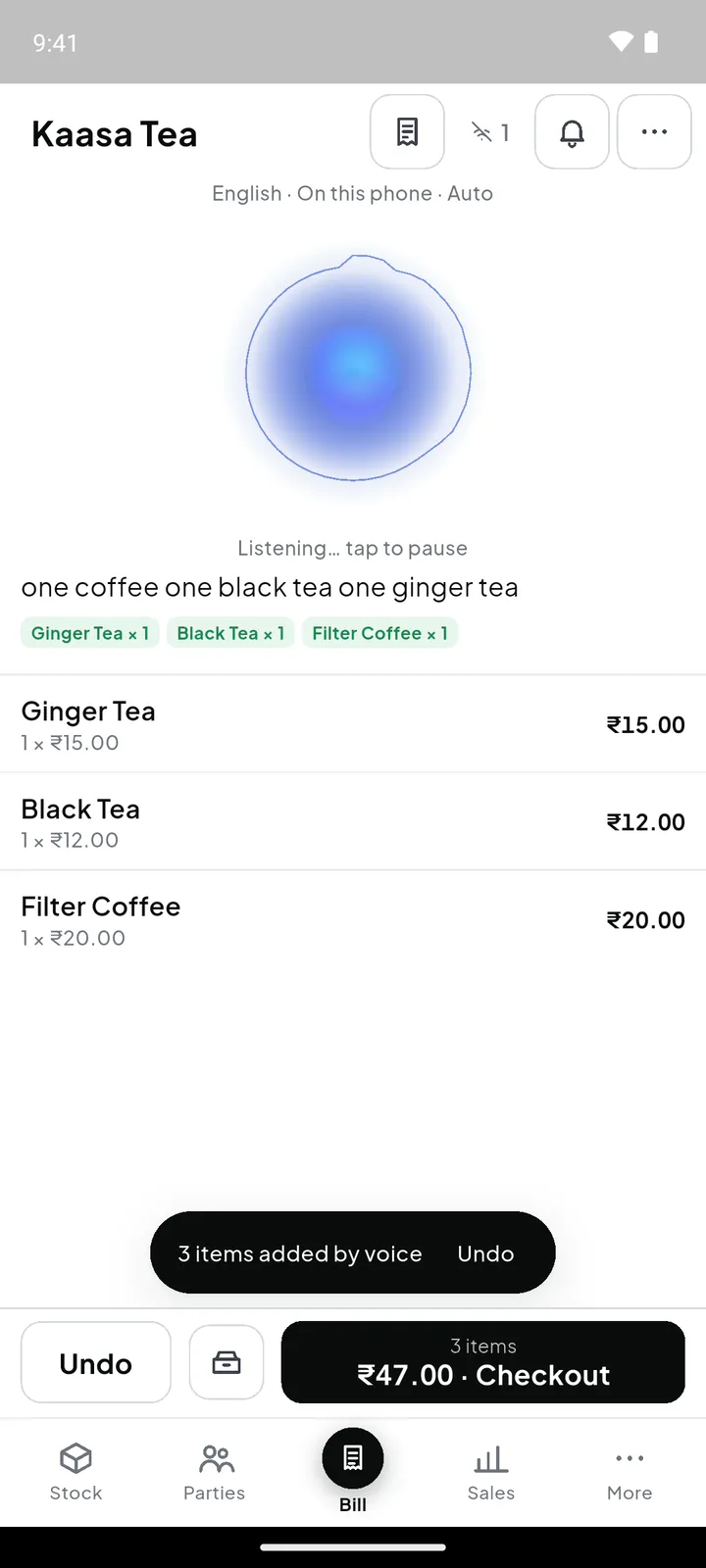
Tamil, English, or mixed. Kaasa shows the bill on screen for a quick check before printing.
Daily sales, GST summary, stock movement, top-selling items. No Sunday reconciliation.
Find your kind of counter.
Three ways to work. Watch a 15-second example for your business.
Your favourites. A tap away.
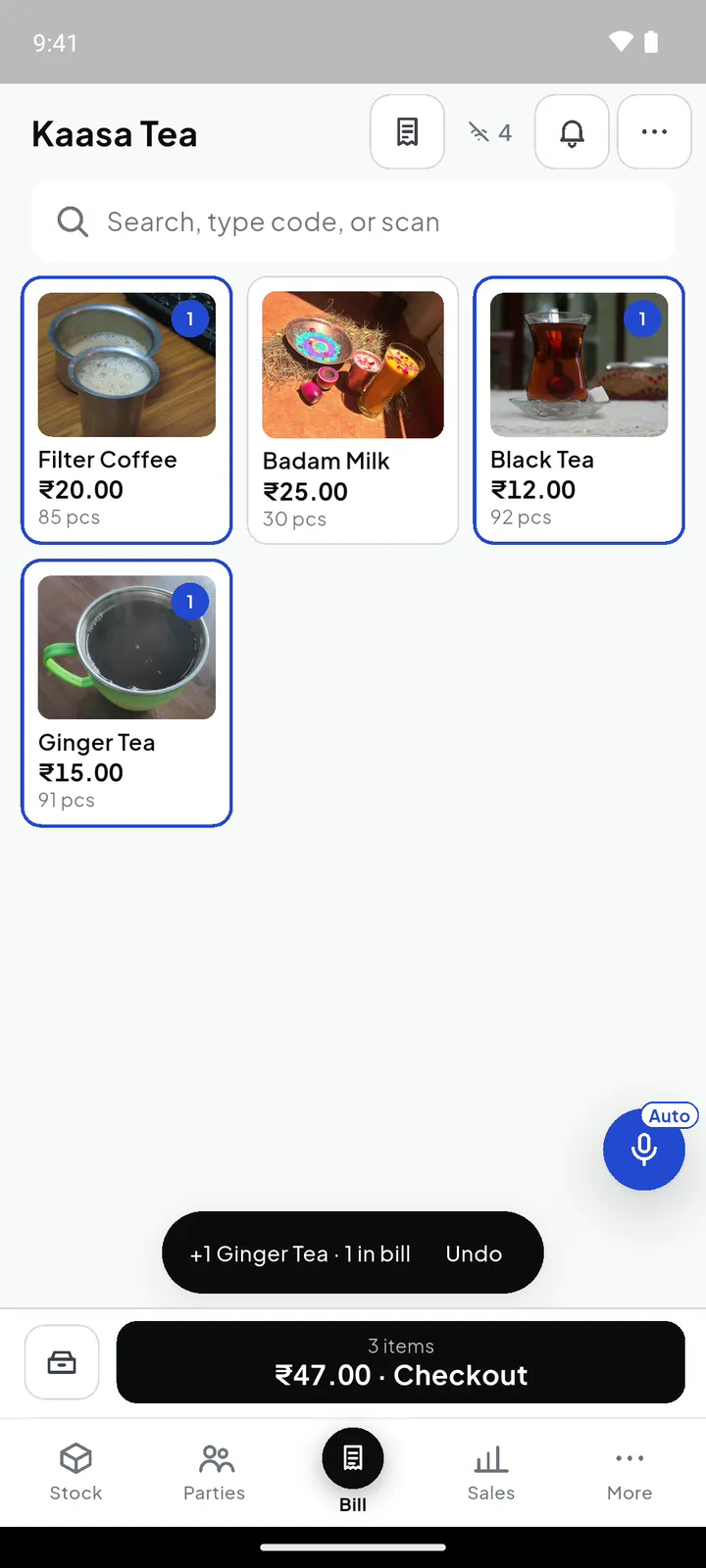
Photo tiles put everyday items on the counter. Tap what the customer wants and see the bill take shape.
Explore all shop and service types →English narration and captions. Press play to watch with sound.
Watchitbill.
Builtaroundwhatyousell.
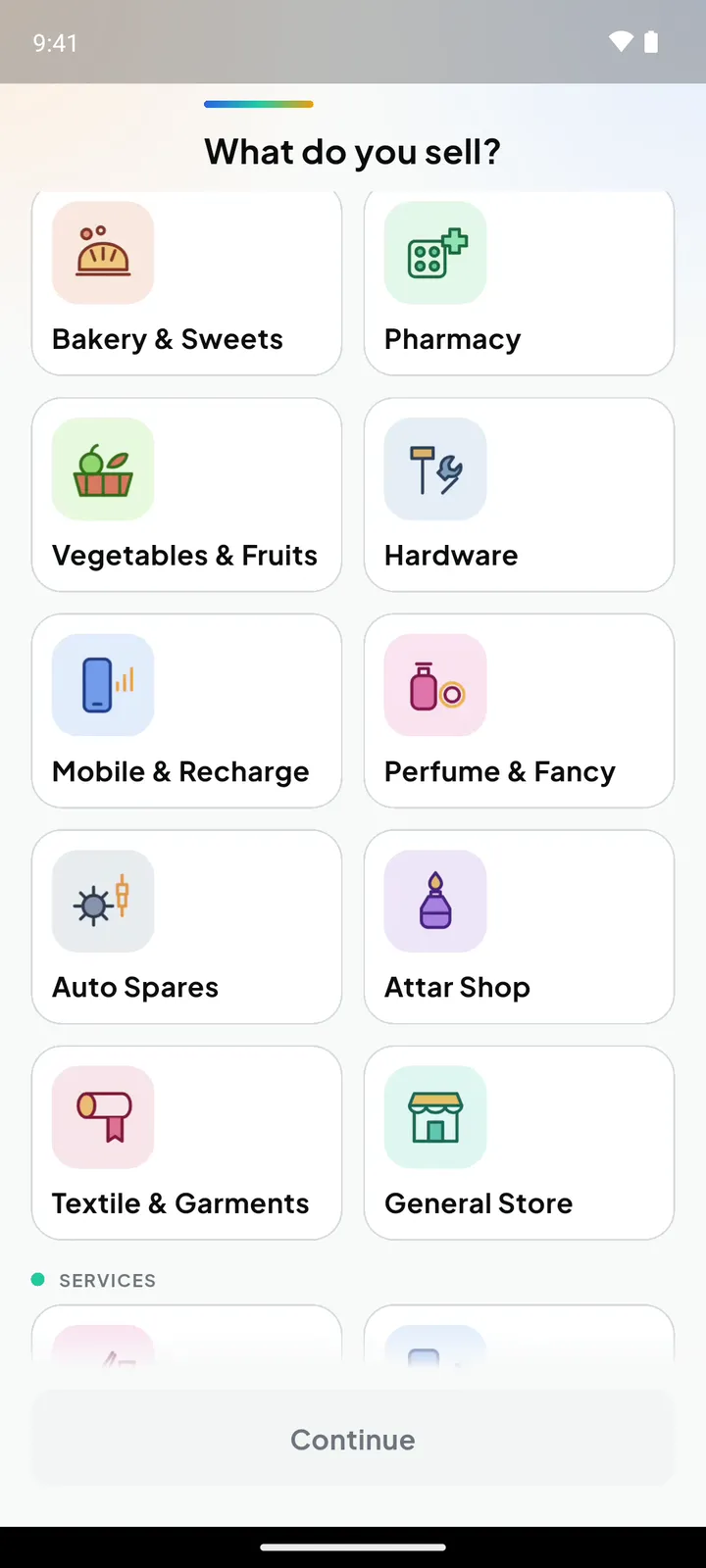
When you sign up, Kaasa asks what you sell — 12 kinds of shop and 9 kinds of service — and sets up the counter for it: the layout, how items are sold, starter items to edit, and job cards for work you take in. Sell more than one thing? Pick up to two more.
Tea Stall
Photo tilesA grid of your items with photos. One tap adds one.
- Every drink and snack as a photo tile
- Short codes for the regulars
- Or say the order: “one coffee, one ginger tea”
Starter items to edit
Takeinajob.Handbackabill.
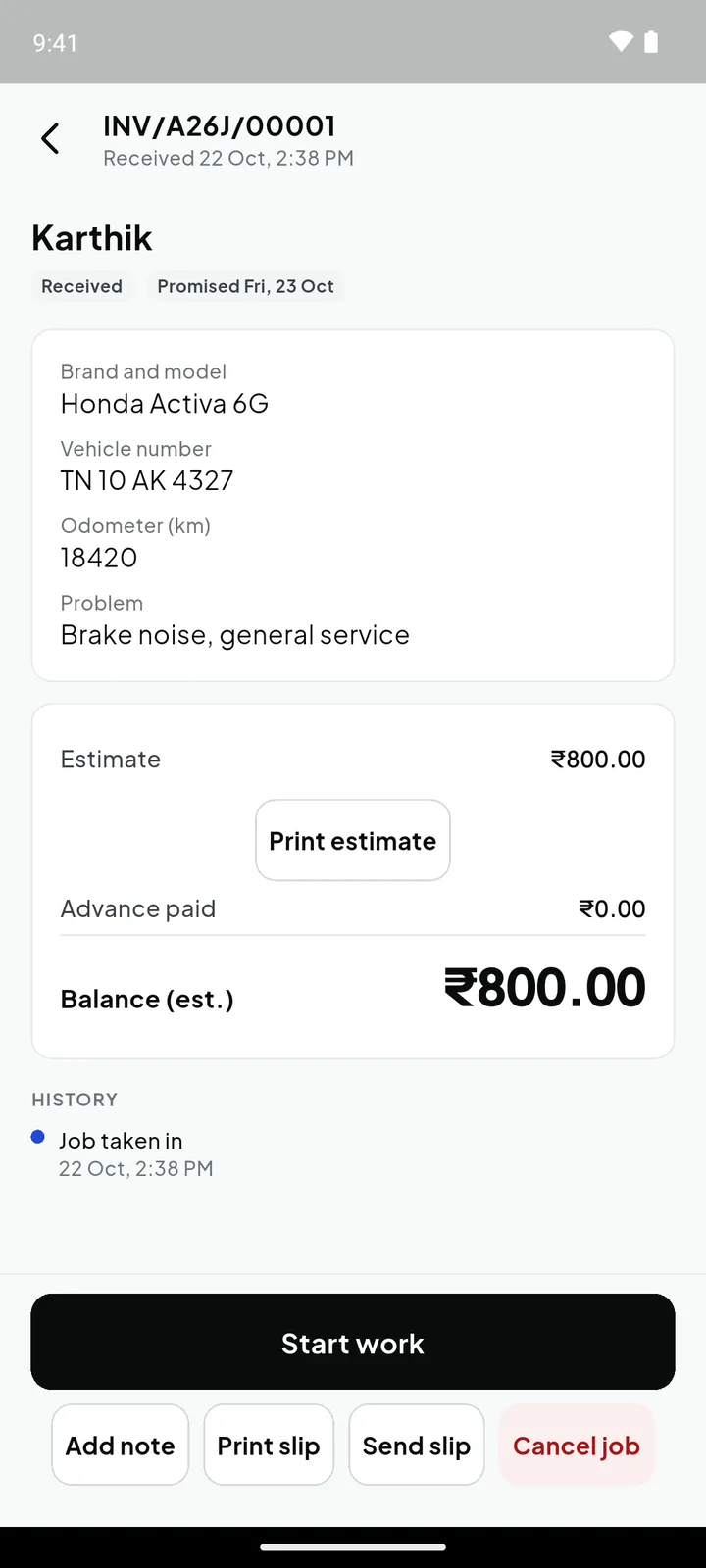
For repairs, stitching, laundry, servicing — anything the customer leaves with you and collects later. Repair, vehicle, tailoring, laundry and photo shops get a job card made for them; every other shop gets a general one. It all works without internet.
- Received
- In progress
- Ready
- Delivered
Take it in
Pick the customer, fill the job card and take an advance. The advance goes into their khata and comes off the final bill.
Hand over a slip
Print the job slip, or send it on WhatsApp or as a PDF. Give a numbered estimate the same way.
Track every job
Start work, mark ready, add notes. The list puts “Past promised date” and “Ready to hand over” on top.
Deliver and bill
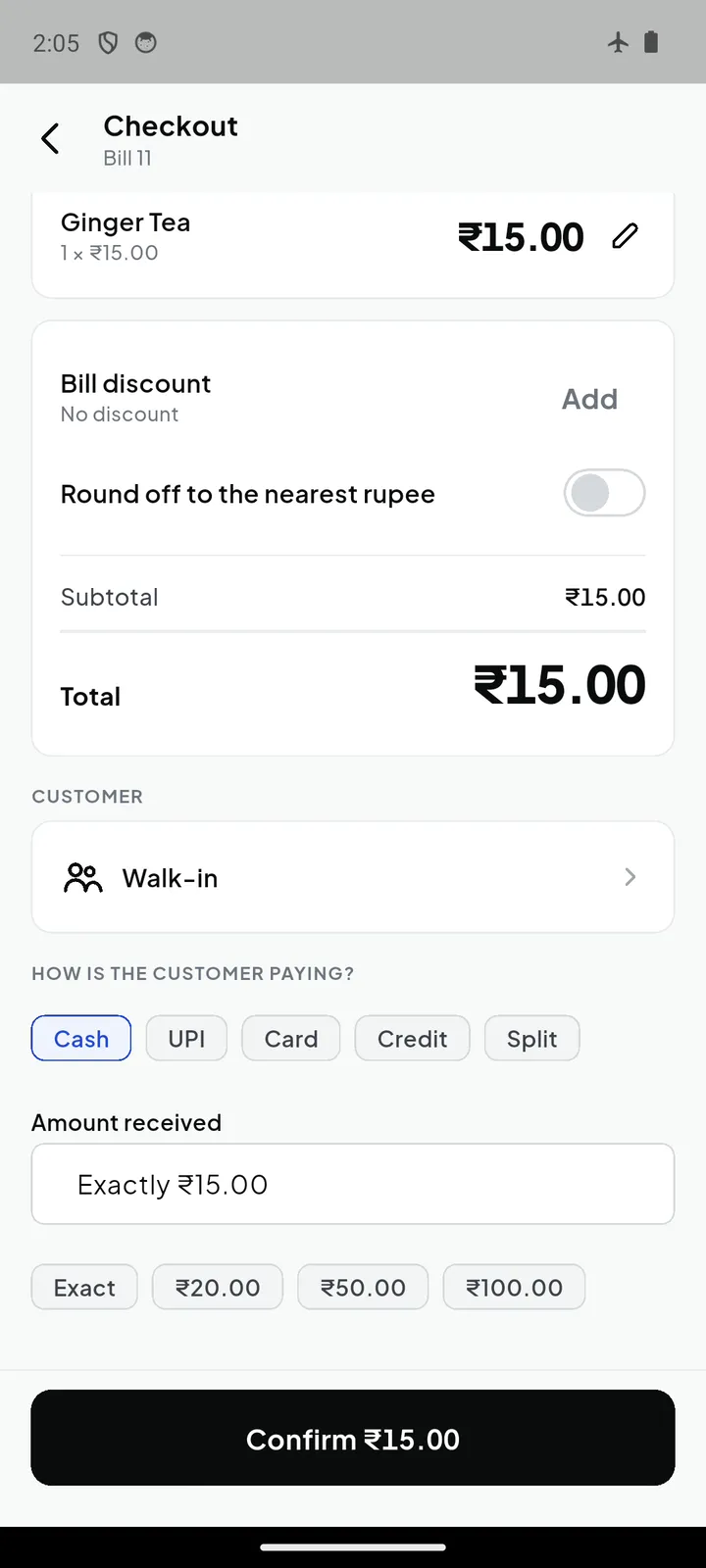
One tap opens checkout with the advance already applied. The customer pays the balance.
New job cards come with every paid plan and the 14-day trial.
UnderMore:therestoftheshop.
The counter stays simple. Everything else is one tap away on the More tab — these are its tools, in the order the app shows them.
Jobs
Repairs, orders and drop-offs, from intake to delivery.
Clock in / out
Staff attendance from the counter phone.
Reports
Daily summary, sales, item-wise, GST, profit and loss, who owes you, stock on hand, branch comparison.
Quotations
Save a bill as a quotation and turn it into a bill later.
Held bills
Park a bill, serve the next customer, come back to it.
Purchases
What you bought, from whom, at what price. Stock goes up.
Business and up
Expenses
Rent, salary, electricity — so profit is a real number.
Business and up
Cash book
Cash and bank in one place.
Stock alerts
Low stock and expiring batches, before they cost you.
Business and up
Stock transfers
Move stock between godowns and branches and track it in transit.
Business and up
Godowns
Stock kept in more than one place, counted separately.
Business and up
Import price list
Upload Excel or CSV; review new and changed prices before they apply.
GST return
GSTR-1 and GSTR-3B figures, and the GSTR-1 file for the portal.
Business and up
Audit log
Who changed what, and when.
And in Settings
- Staff & roles
- Owner, manager, cashier or your own roles; roster and leave.
- Day close
- Count the cash, check the drawer, print the Z-report.
- Discount rules
- Quick % buttons and a maximum per role.
- Auditor access
- A time-limited, read-only code for your accountant.
- Payment methods
- Cash, UPI, card, credit and split, with credit limits.
- Loyalty
- Customers earn points on what they buy.
- Devices
- See every phone signed in; rename or remove one.
- Hours & holidays
- Your working hours and days off.
- Bill templates
- Choose what your receipt and invoice show.
- Lock & PIN
- Lock the app when the counter is unattended.
- Backup & export
- Daily cloud backup; export everything as CSV or PDF.
- Language & voice
- The whole app, and voice billing, in Tamil or English.
Which plan includes what: Kaasa pricing.
Whatthecounteractuallysees.
Screens from the app, in English and Tamil. Swipe on a phone.
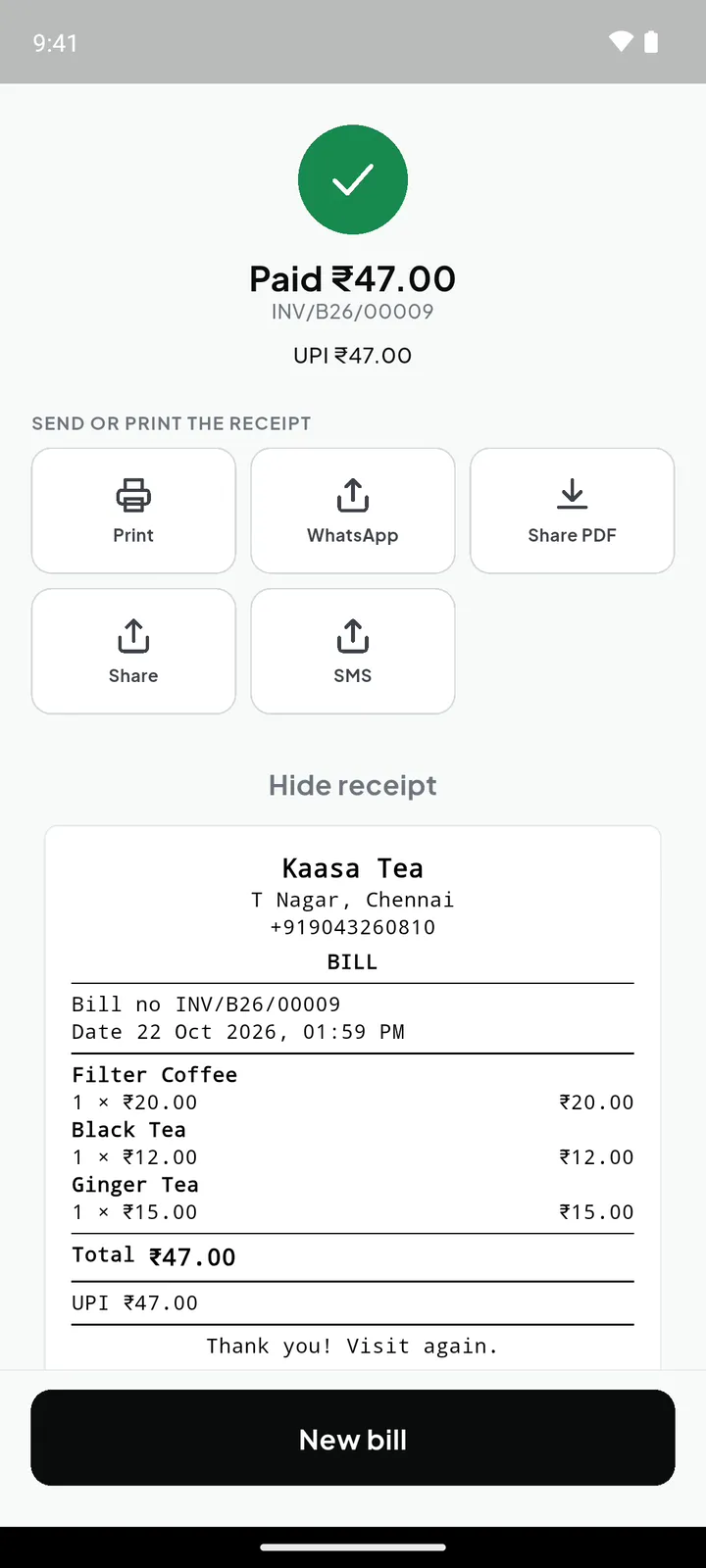
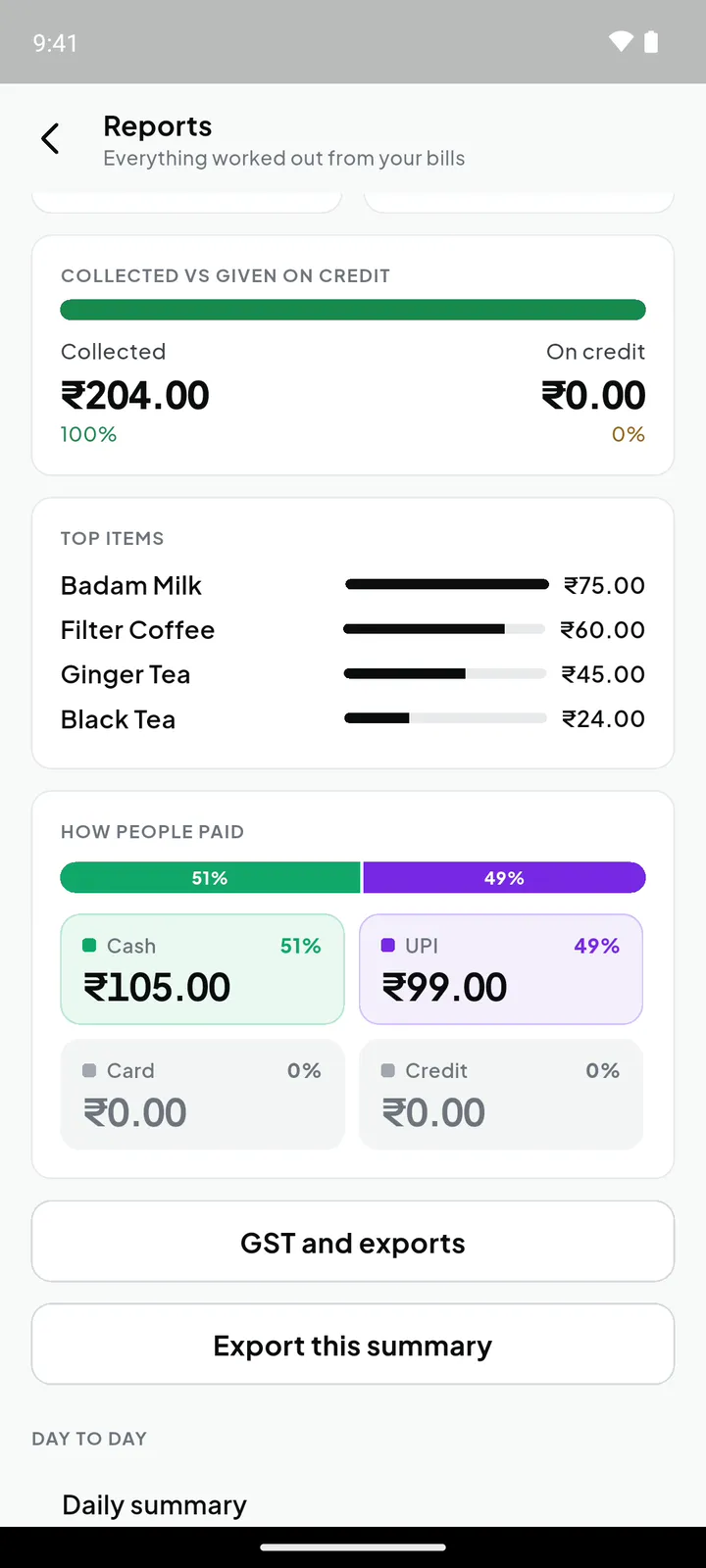
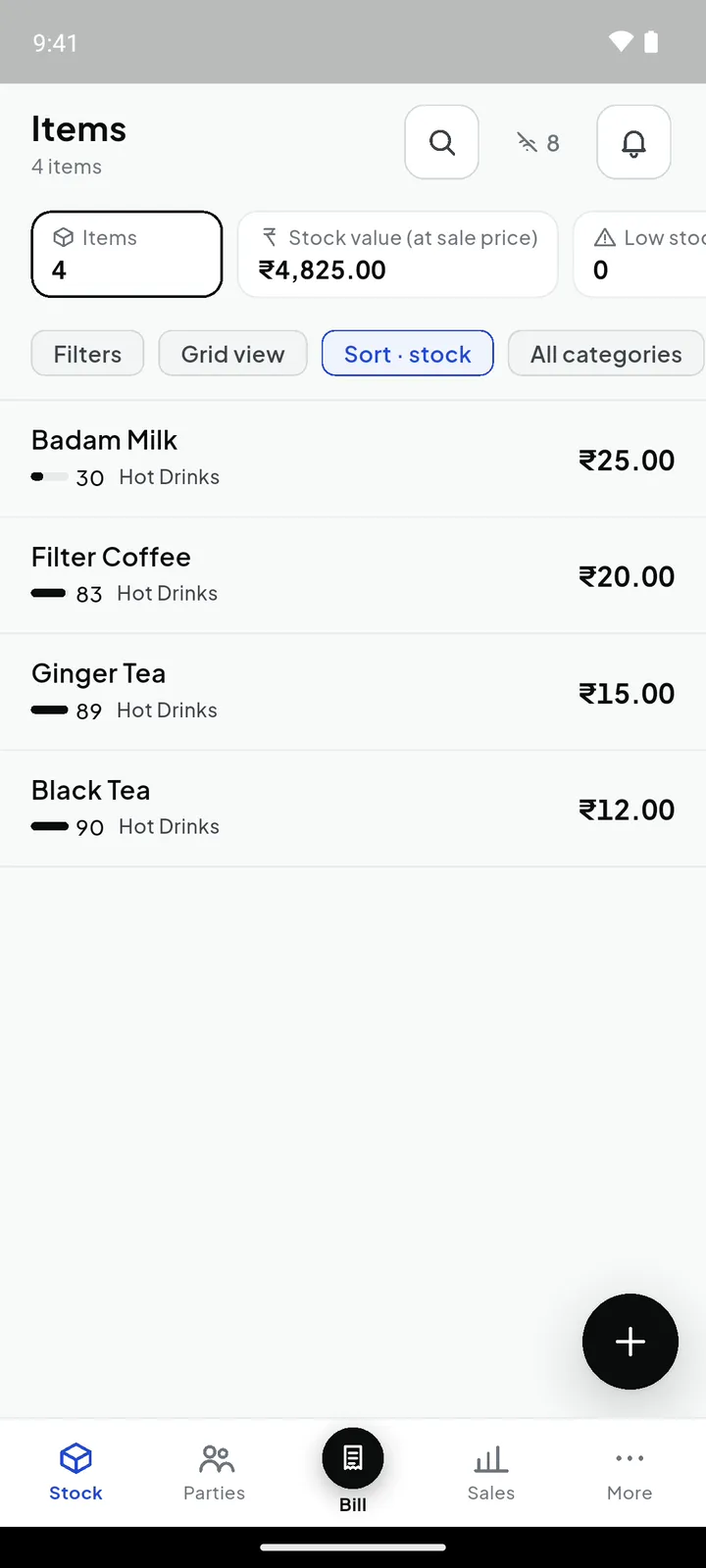
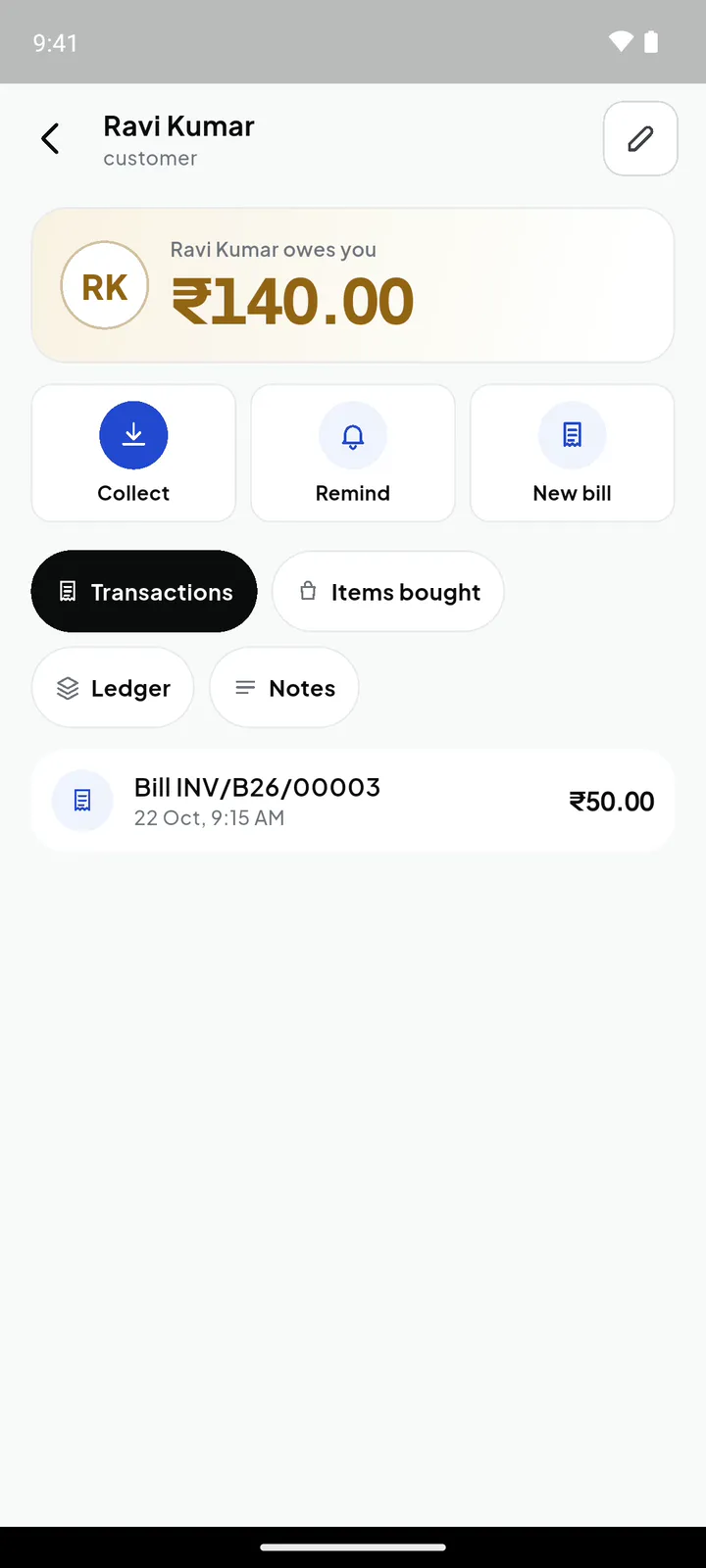
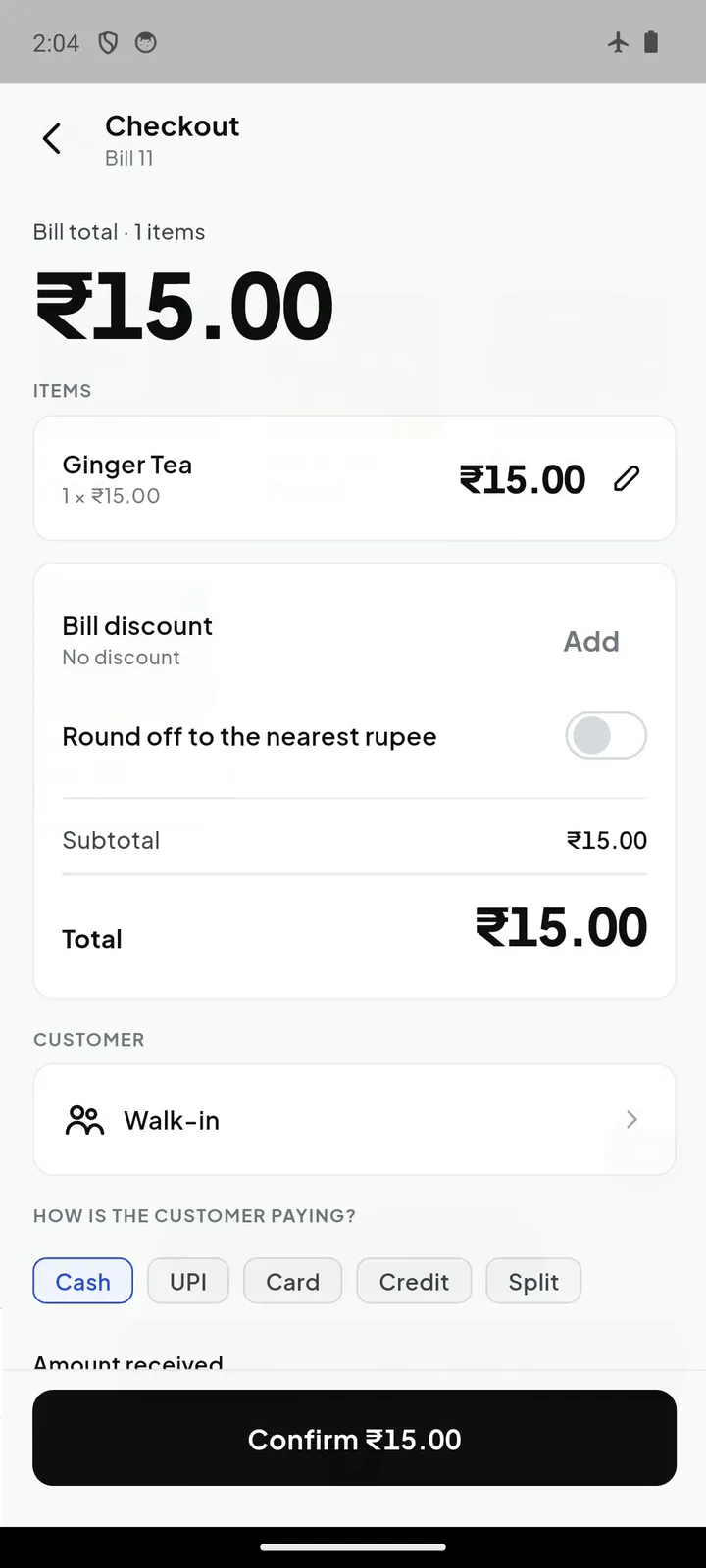
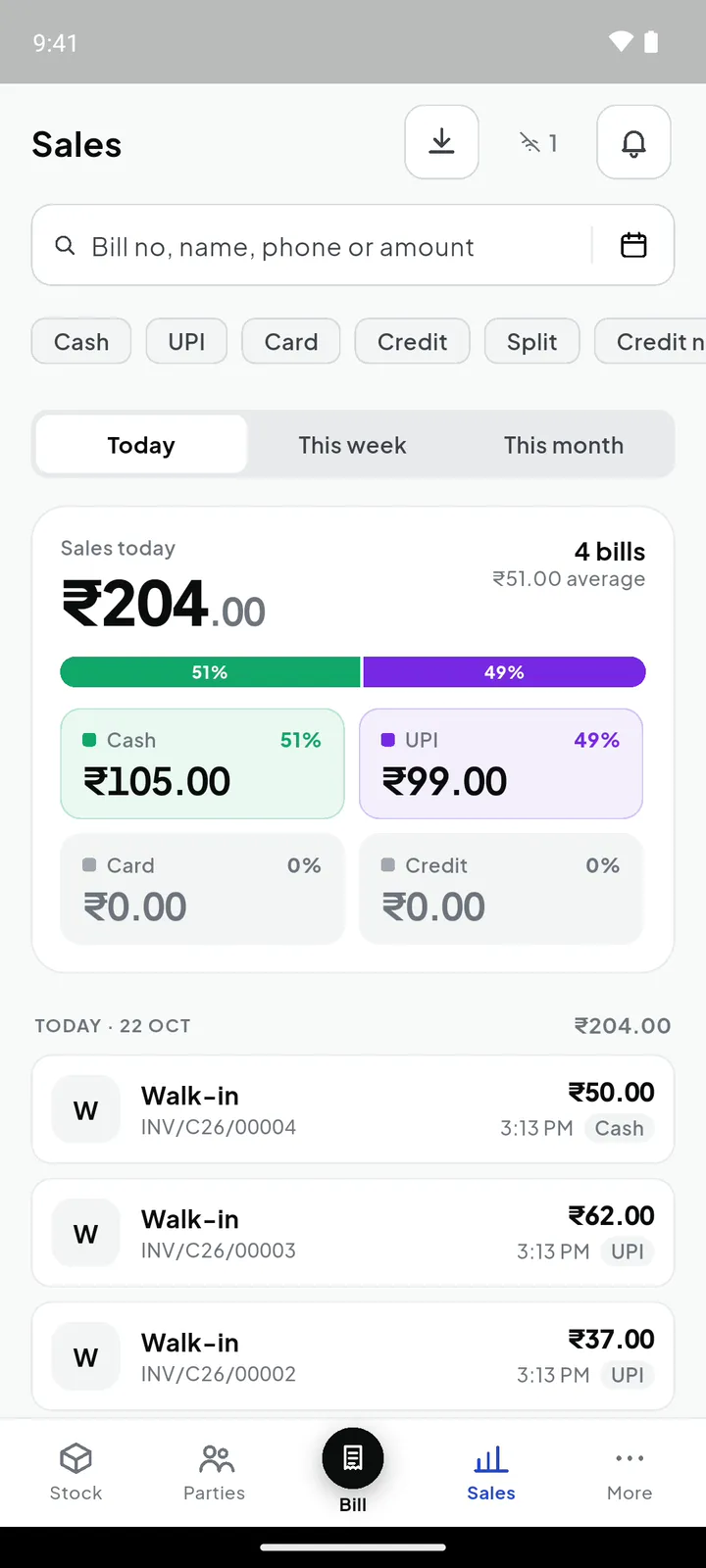
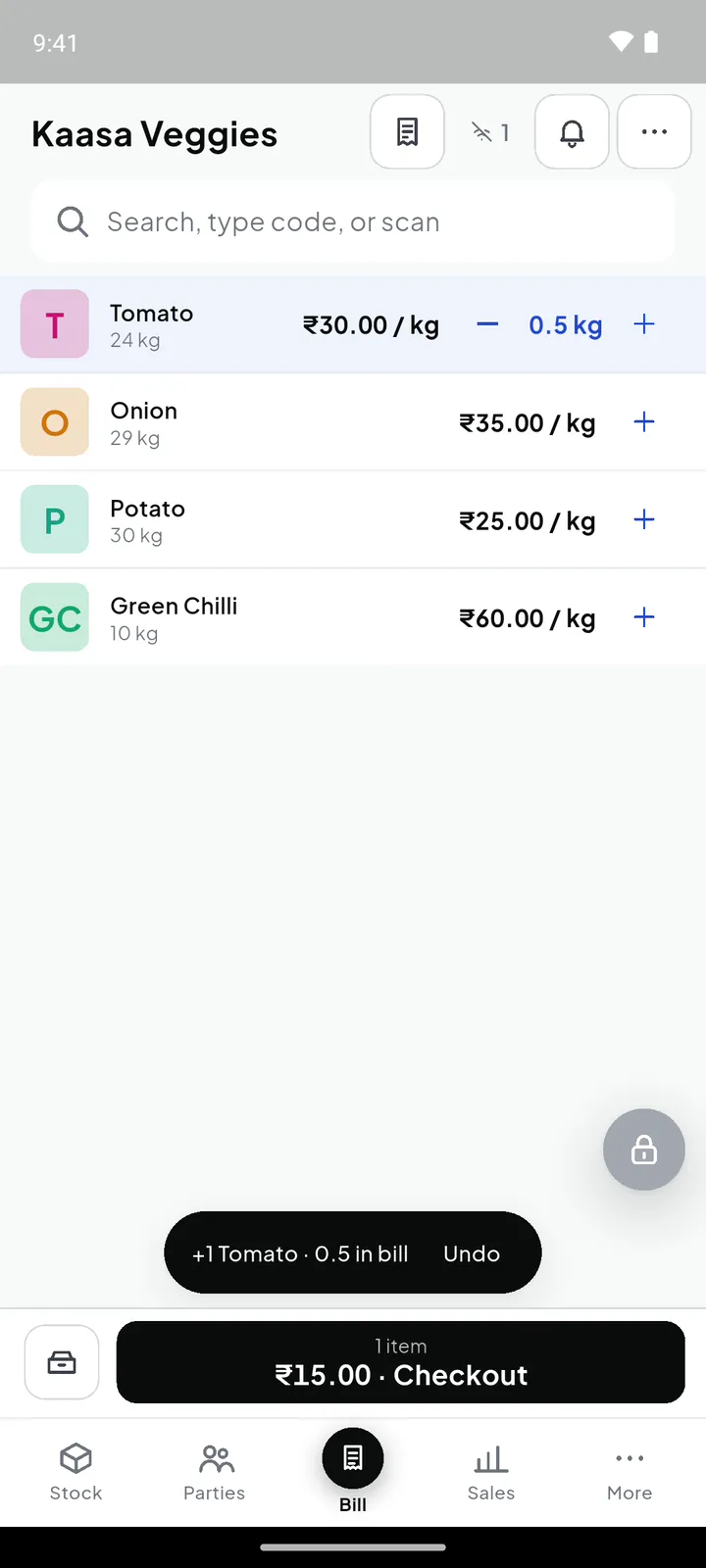
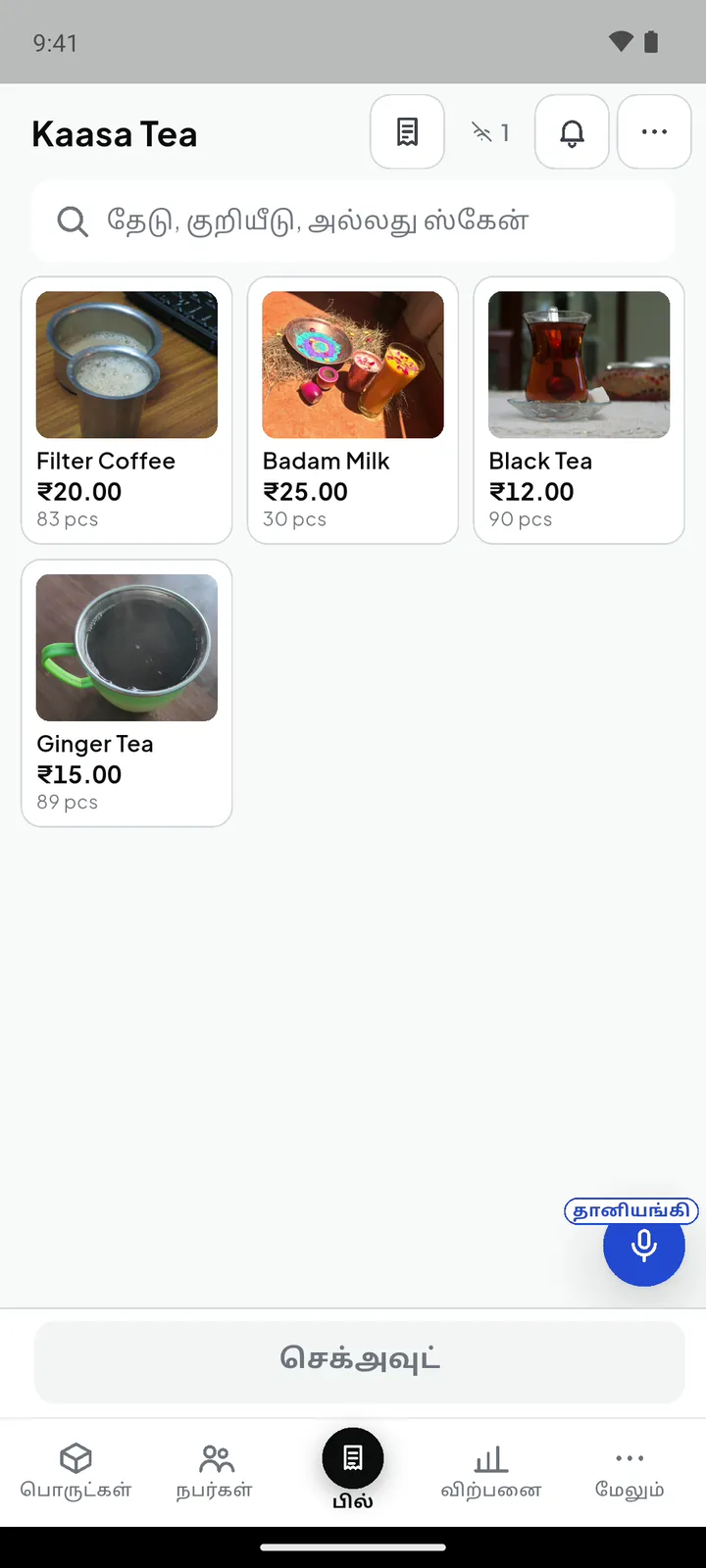
Item photos on the demo tea stall: Wikimedia Commons, CC BY-SA — Indian filter coffee in Dabarah (CC BY-SA 3.0); Black Ginger Tea by Gaurav Dhwaj Khadka (CC BY-SA 4.0); Glass tea cup by Zcebeci (CC BY-SA 4.0); Classic and mango thandai (CC BY-SA 4.0).
See the everyday details.
Take a closer look at billing and the tools that keep your shop organised.
English narration and captions. Press play to watch with sound.
Footage and image credits
Recorded in a Kaasa demo shop. The example spoken order uses generated audio recognised by the app. Narration and music are generated. Item photos on the demo tea stall: Wikimedia Commons, CC BY-SA — Indian filter coffee in Dabarah (CC BY-SA 3.0); Black Ginger Tea by Gaurav Dhwaj Khadka (CC BY-SA 4.0); Glass tea cup by Zcebeci (CC BY-SA 4.0); Classic and mango thandai (CC BY-SA 4.0).
Howitactuallyworks,indetail.
Voice billing
How the Tamil/English mixing works, what happens when it mishears, how it learns your shop's vocabulary. Kaasa is built for how people actually speak in a shop — not a single clean language, but Tamil and English mixed in one sentence.
GST engine
CGST/SGST vs IGST, HSN codes, the monthly summary your auditor wants — handled correctly on every invoice, every time.
Offline mode
Tap billing and printing continue through a power cut or a dead network; every bill is saved on the phone first and synced the moment you reconnect. Voice billing needs internet, because the Tamil speech engine runs in the cloud — the app tells you, and tap billing takes over.
Inventory and purchases
Stock movement, low-stock alerts, supplier records, margin per item — updated automatically as you bill and purchase.
Reports
The five reports owners actually open: daily sales, GST summary, item-wise sales, stock movement, branch comparison.
Multi-branch
Independent counters, a consolidated dashboard, and central price management across every branch you run.
Technicalspecs.
Get started
Come see Kaasa in your own shop.
We'll bring a tablet and a printer, load ten of your own products, and let your counter staff bill a real customer with their voice. Fifteen minutes. If it doesn't feel faster, we'll leave and you owe us nothing.
Chennai and surrounding areas — we come to you.